


Unit outcomes
Learners who are secure will be able to:
- Identify hardware and software.
- Recognise the difference between input and output devices.
- Identify features that make digital devices easy to use.
- Choose the most appropriate device for different locations and purposes.
- Identify tasks that computers can do better than humans.
- Recognise the difference between real and fictional robots.
Suggested prior learning
Unit 6: Integrated project: Rocket to the Moon
Get started
Lessons
Lesson 1: Hardware and software
Lesson 2: Input and output devices
Lesson 3: Different computing devices
Lesson 4: Jobs computers do well
Lesson 5: Real and fictional robots
Key skills
Prior learning
- Computers can be

We do not currently offer this subject
Key knowledge
Cambridge Primary Computing (0059)
We do not currently offer this subject
Key vocabulary
data
feature
We do not currently offer this subject
Related content
Resources
Unit resources

Computer Science
Vocabulary display – Computing S2: How computers work
A display version of the unit vocabulary.
Computer Science
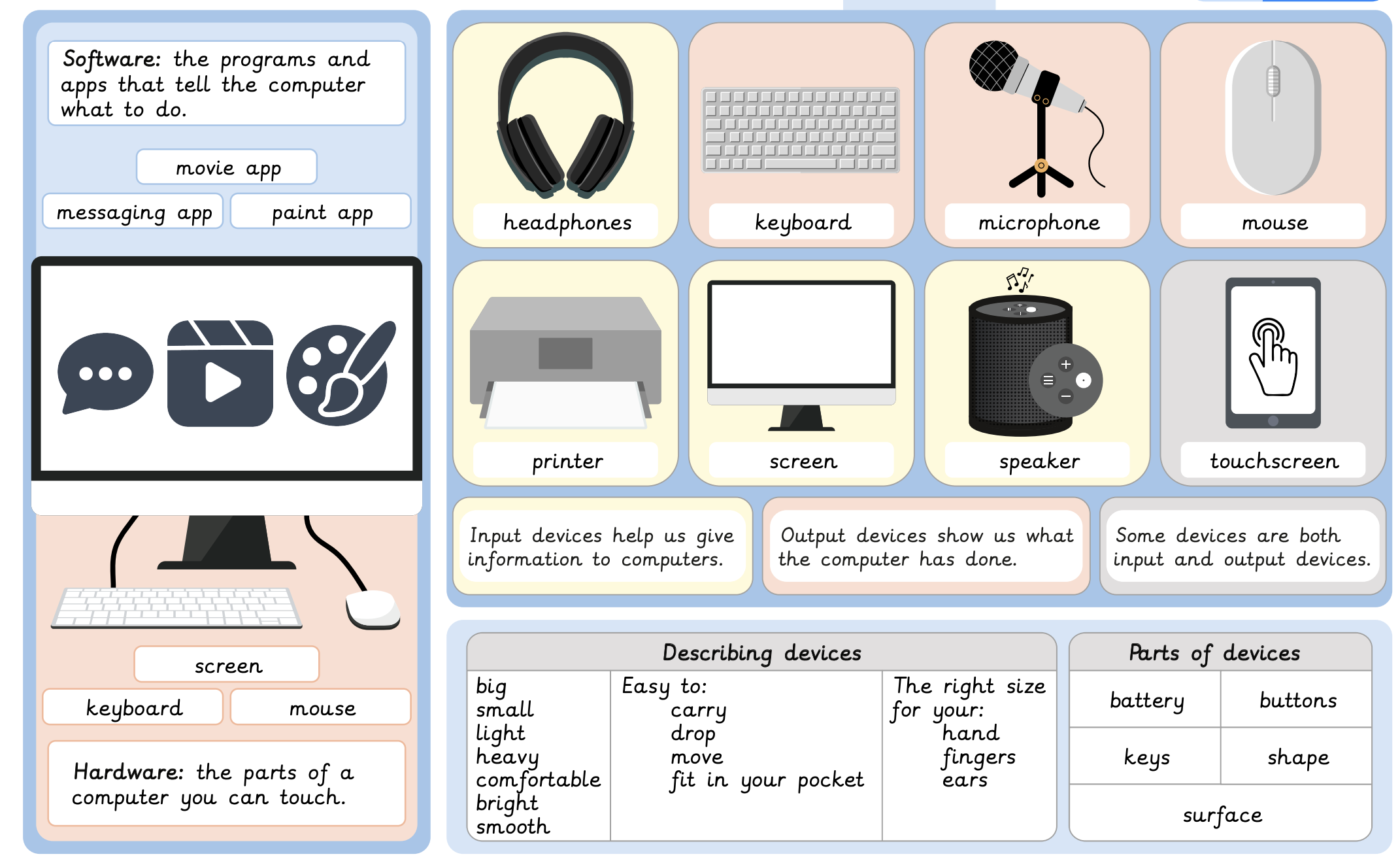
Knowledge organiser – Computing S2: How computers work
Aimed at learners, a single page document that gives key facts and definitions from the How computers work unit.
Suggested next steps
*Coming soon* Unit 2: Algorithms and debugging
Get started
